


Tap the speech bubble on their profile

On the person’s profile, tap the speech bubble beside their name. If you have not opened their profile yet, the app will first show an opening notice. Opening a profile and requesting a chat are separate actions.
Find something to ask in their introduction or day

Look at their favorite music, a cafe they visit, or a weekend hobby. You do not need to prepare a long, polished greeting.
“I saw that you like relaxing with music. Is there a song you have been listening to lately?”
Check the conditions and wait for acceptance
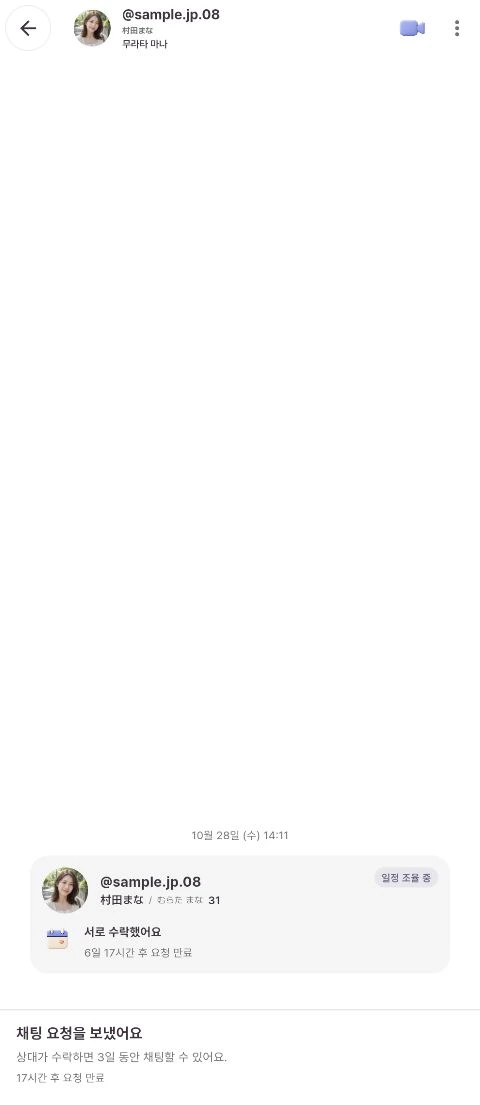
Check the required points and conditions on the request screen. A chat request from a Korean male account costs 1,000P. The request fee is returned if the other person declines, but not if the request expires without acceptance. Check the conditions shown on your screen.
Sending a request does not immediately start a conversation. Chat begins when the other person accepts. On a profile you have already requested, use the chat request status button to check its progress.
Start talking after acceptance
Chat is available for three days from acceptance. The request expiry time and the chat duration after acceptance are different. A call is not required before starting a chat.
Messages are displayed with Korean and Japanese translations. If an automatic translation seems awkward, try a shorter sentence or ask what the other person meant.